
How to Use MYSENDEX
How to Ship with MYSENDEX
From checking your warehouse address and adding parcels to submitting shipment details, follow the steps below to complete the basic shipping process.
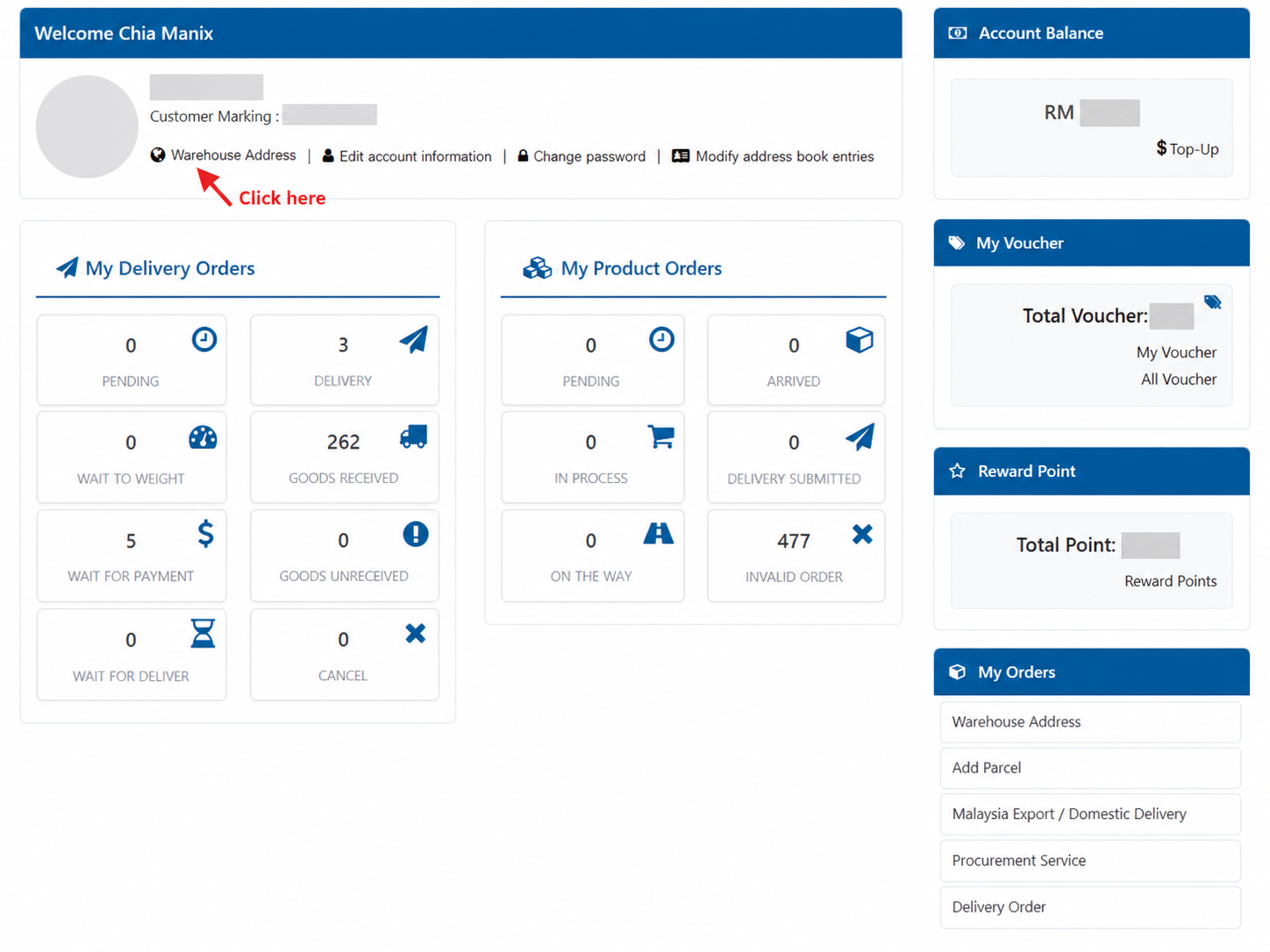
View the Latest Warehouse Address
After signing in to your MYSENDEX account, open “Warehouse Address” to check the warehouse details currently available to you. Always use the latest information shown in the system before sending your goods.
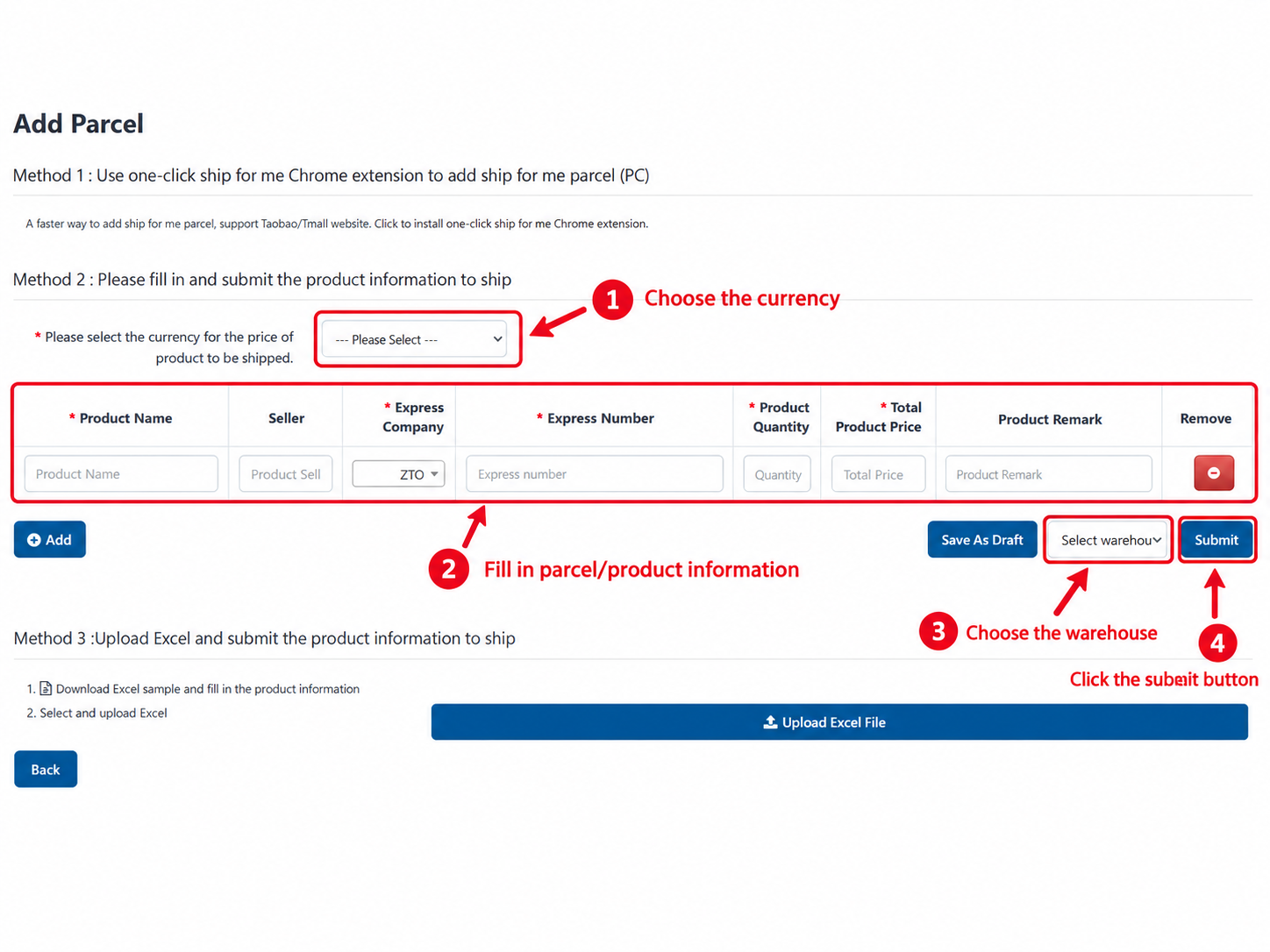
Add Your Parcel
Open “Add Parcel” and enter the required product and courier information, including product name, seller, courier company, tracking number, quantity, declared value and relevant remarks. Select the correct warehouse before submitting.
Submit Shipment Details
Once the goods appear under Product Order, select the order you want to ship and proceed to submit the delivery order.
Select the Product Order
Tick the product order you want to include and continue to submit the delivery order.

Complete Recipient & Shipping Details
Enter the recipient name, telephone number and shipping address carefully before submission.

Continue with Your Shipment
After submission and processing, you can check the shipment status through MYSENDEX tracking.